
Growth creates complexity. More employees, more locations, more customer interactions and more moving parts make it harder to keep everyone aligned. When training lives in scattered documents, important procedures depend on memory, and managers repeatedly answer the same questions, the business loses time and consistency.
Employee training software gives workforce management a reliable foundation. It brings learning materials, onboarding, procedures, assessments and progress visibility into one organized place. The result is a team that can learn what is expected, managers who can see where support is needed, and leaders who can scale operations without relying on informal, one-to-one instruction for everything.
How training software strengthens workforce management
1. Bring every employee up to speed faster
Onboarding is often the first test of how well a business manages its workforce. New employees need to understand their role, learn the tools, follow procedures and know who to ask for help. When each manager delivers that information differently, the experience can vary from person to person.
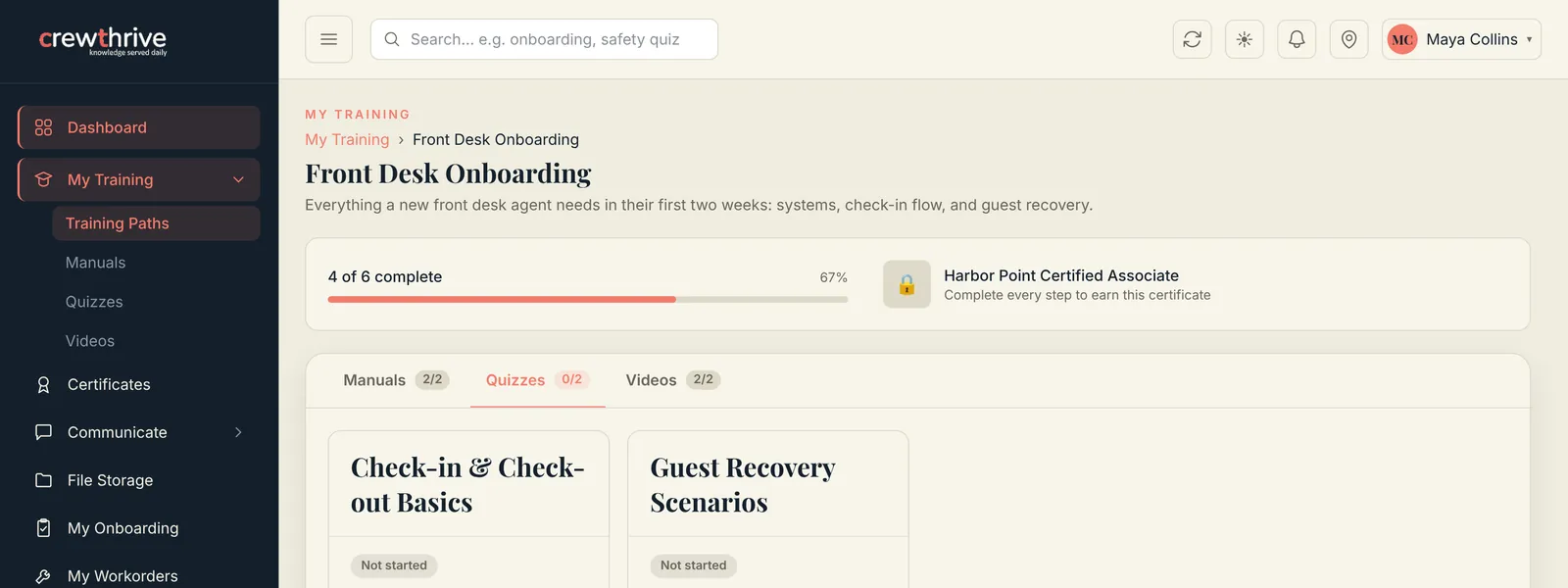
Training software turns onboarding into a repeatable process. Build role-specific paths with manuals, videos, forms and quizzes, then give each new hire a clear sequence to follow.
- Clear expectations: employees know what they need to learn and complete.
- Consistent delivery: every new hire receives the same core information.
- Visible progress: managers can identify unfinished steps and provide support.
2. Standardize procedures across teams and locations
As a business grows, informal knowledge becomes harder to maintain. One location may follow an older checklist while another uses a manager's updated version. Small differences can lead to inconsistent service, avoidable rework and confusion.
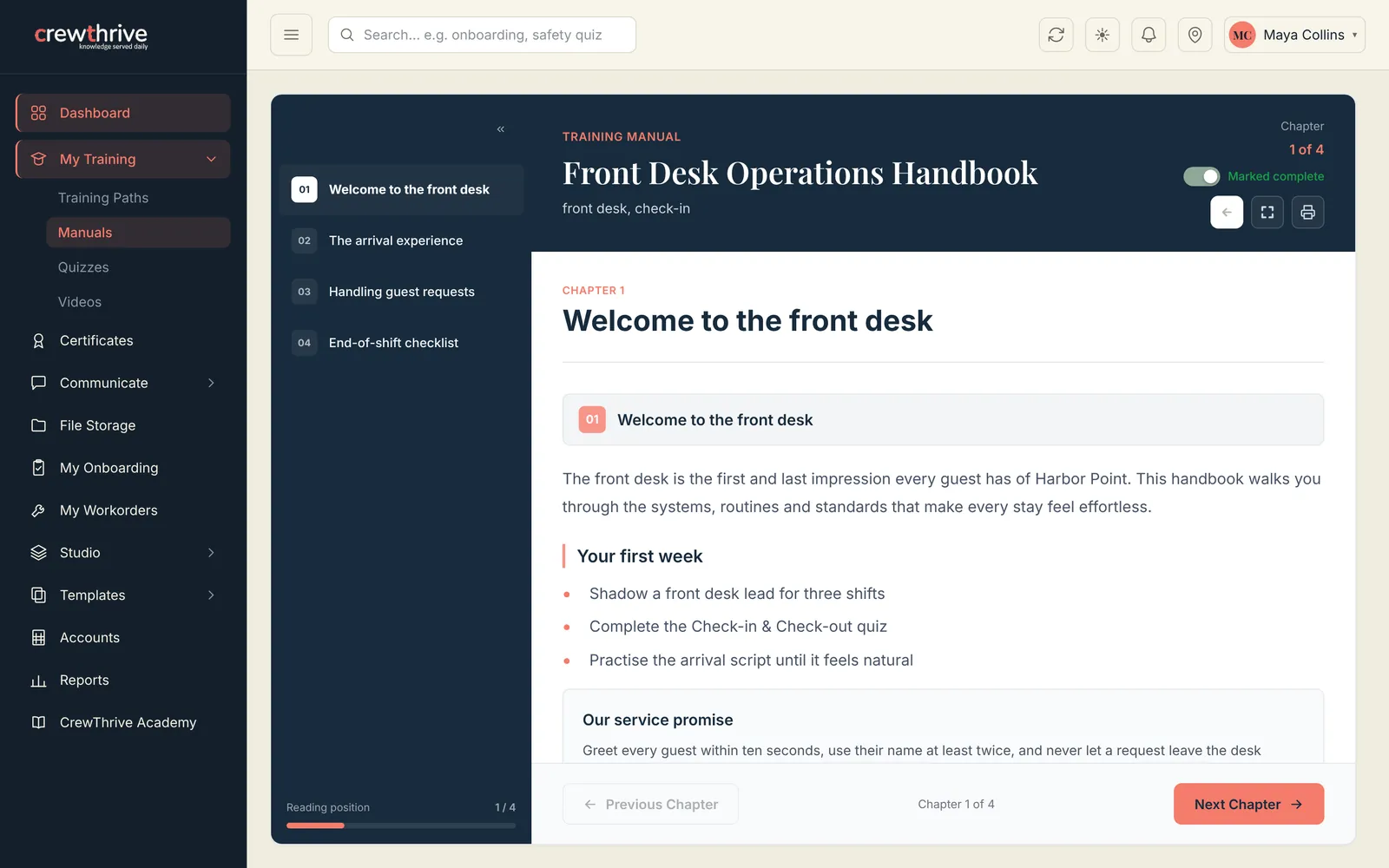
Digital manuals and standard operating procedures (SOPs) create a shared reference point. Employees can find the current instructions, review steps when needed and complete training against the same operating standards.
- Keep procedures organized by role, department or location.
- Make updates easier to distribute when a process changes.
- Use quizzes and acknowledgements to reinforce important information.
3. Improve communication between managers and employees
Workforce management depends on timely, understandable communication. Policy changes, shift procedures, safety reminders and operational updates can get lost when they are spread across personal messages, paper notices and email threads.
A centralized platform gives teams a consistent place to access information and reference important updates. Shared resources reduce repeated explanations and help employees find the guidance they need while managers spend less time tracking down who has seen which document.
4. Support compliance and accountability
Many organizations need employees to understand policies, safety practices, service standards or job-specific requirements. A signed document alone does not always show whether someone understands the material or has completed the required learning.
Training software can organize required courses, record completion and use assessments to reinforce understanding. Managers gain a clearer view of outstanding training and can follow up before a gap becomes an operational issue.
- Assign required learning by employee, team or role.
- Track completion and quiz results in one place.
- Keep training content available for review when employees need it.
From scattered training to a managed process
A simple operating cycle for consistent workforce development
Conceptual workflow for illustration; actual steps depend on each organization's requirements.
5. Give managers better visibility into workforce readiness
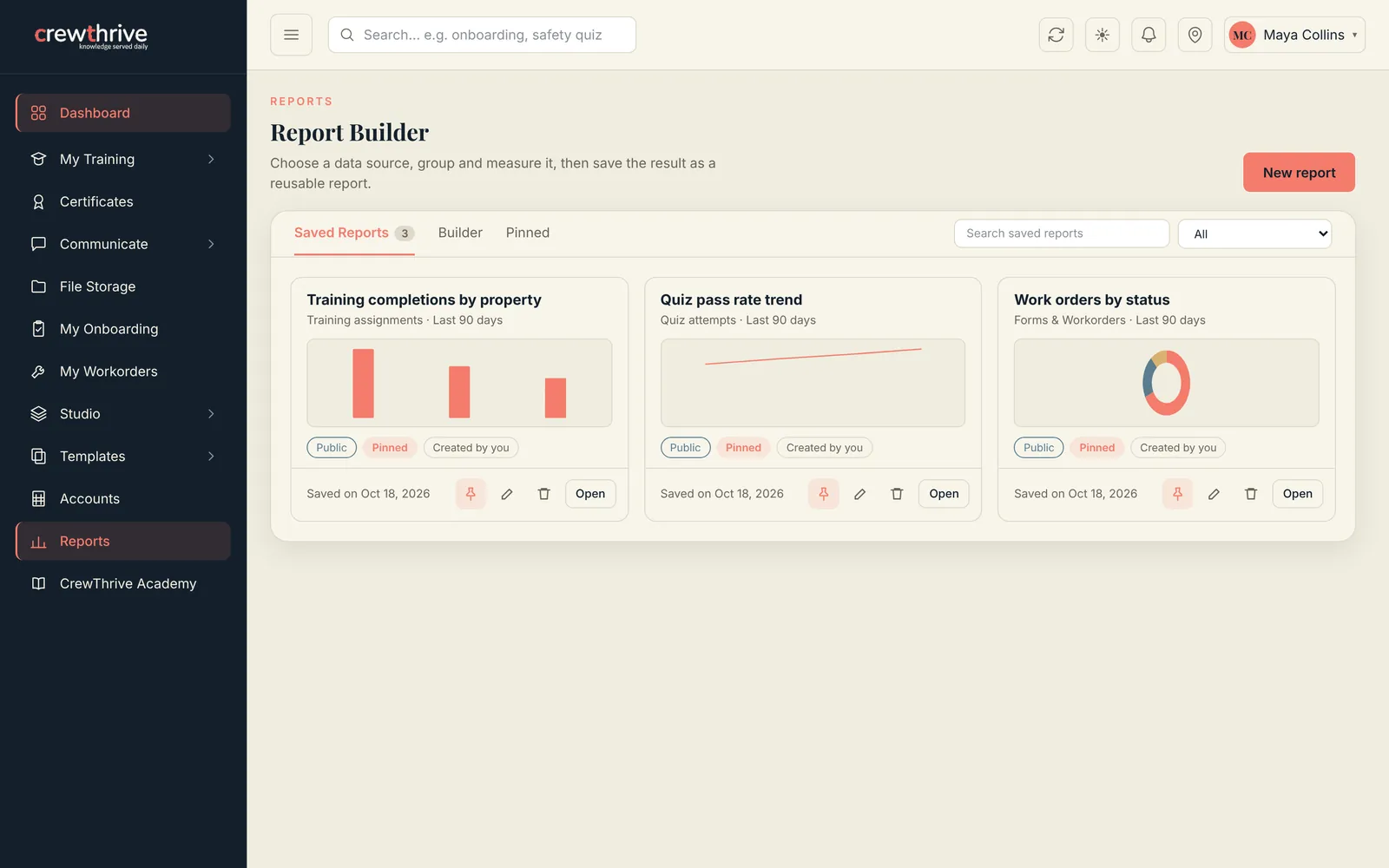
Managers cannot address training gaps they cannot see. When completion records are kept in separate spreadsheets or informal checklists, it takes time to understand who is prepared, which teams need attention and whether required learning is overdue.
Centralized reporting brings useful signals together: assigned training, completed modules, quiz outcomes and outstanding tasks. This does not replace a manager's judgment; it gives that manager better information for coaching, planning and follow-up.
6. Make continuous development part of daily work
Training should not end after orientation. Employees take on new responsibilities, procedures change and experienced team members need opportunities to strengthen their skills. Short, accessible learning resources make it easier to revisit a topic or prepare for the next role.
Use learning paths to organize development over time, combine manuals with short assessments and make progress visible. A steady development process can help employees feel supported while building the skills the business needs as it grows.
7. Keep training accessible for frontline and deskless teams
Many employees do not spend their day at a computer. They work on a floor, at a front desk, in a kitchen, on a job site or across multiple locations. If training is only available in a binder or on an office desktop, it may be difficult to use at the moment it is needed.
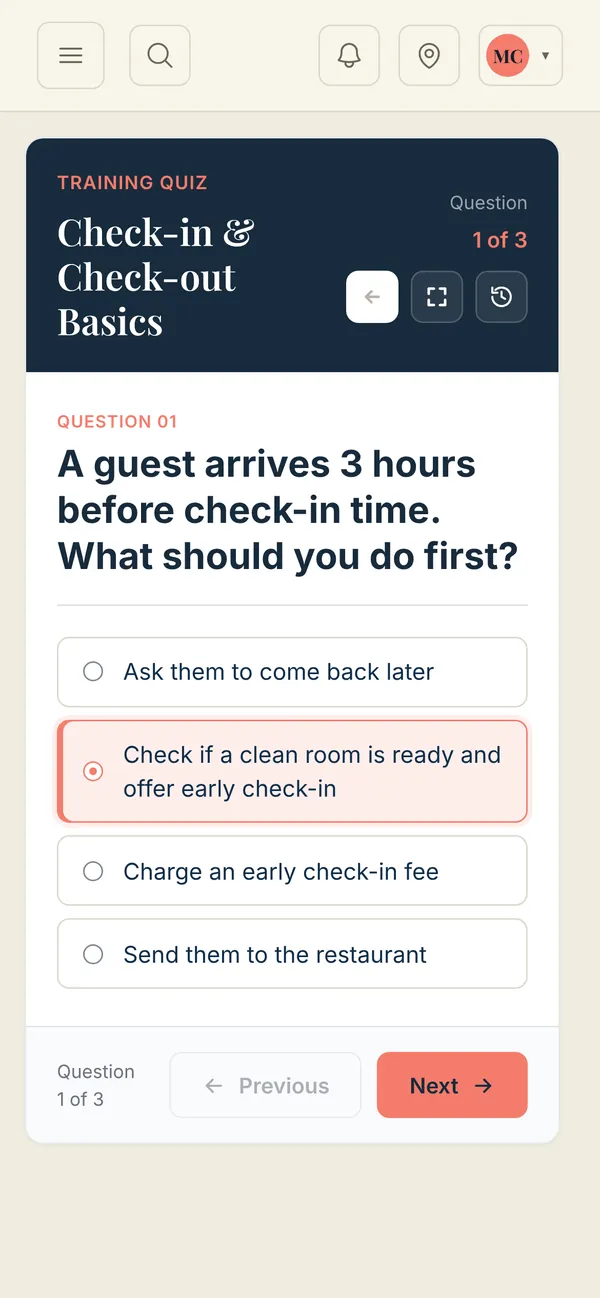
Mobile-friendly manuals, quizzes and training paths allow employees to review guidance from a phone or tablet. This makes learning easier to fit around real work while giving managers a consistent way to share updates with distributed teams.
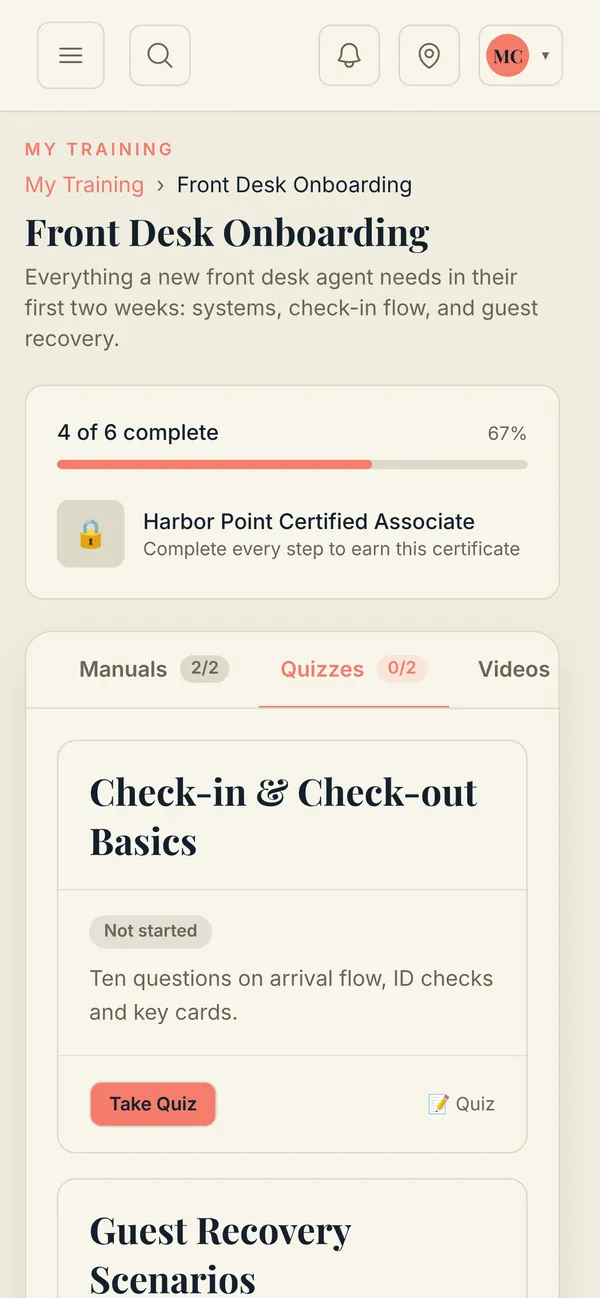
Choosing software that supports the way your business works
The best solution is not simply the one with the longest feature list. Look for software that makes it practical to create and update training, organize employees by role or location, check understanding, track progress and give teams easy access to current information.
Start with one workforce challenge that creates friction today. It might be inconsistent onboarding, outdated SOPs, missed training follow-ups or managers spending too much time answering repeat questions. Put a clear process in place, observe how the team uses it and expand to other workflows as your needs evolve.
What to look for in an employee training platform
Core capabilities that connect learning with day-to-day workforce management
A practical evaluation checklist; prioritize capabilities based on your team's workflows and requirements.
Turn workforce development into a growth advantage
Business growth depends on people being able to deliver consistent work as the organization becomes more complex. Employee training software helps make that possible by turning onboarding, procedures, communication and development into repeatable processes that managers can support and measure.
When employees know where to find answers and what success looks like, managers can spend less time chasing basic updates and more time coaching their teams. That is how a better training process becomes a stronger workforce management strategy.
Key takeaways
- Structured onboarding helps new employees understand their roles and responsibilities.
- Digital manuals and SOPs make it easier to keep teams aligned around current procedures.
- Completion records and assessments give managers visibility into training progress.
- Mobile access and continuous learning help support distributed and frontline teams.
Build a workforce that is ready to grow
Bring employee training, onboarding, manuals, SOPs, quizzes and workforce visibility together with CrewThrive.
Book a demoOr start your 6-month free trial. No credit card required.